CARARE

Share3D: bring your 3D heritage to Europeana, step by step

16 Nov 2026
Share3D

Your 3D models deserve to be seen. The new Share3D Dashboard launches today, and it makes it easier than ever to upload them in batches, describe them and publish them on Europeana. It is open to every museum, archive, heritage organisation, researcher and 3D creator who wants to share their work.

Share3D is made for anyone who creates or holds 3D models of cultural heritage: museums and galleries, archaeological services, archives and libraries, universities and research teams, heritage associations, and independent 3D creators. Whether you have three models or three thousand, you can use it. Bring in models from Sketchfab, MyMiniFactory (Scan the World), Zenodo or Repox, or simply add a link to a model hosted on any other website.

Share3D is an online interface for sharing 3D cultural heritage. You import your 3D models, in batches if you like, from the platforms where they are already online. Share3D then helps you enter and organise their metadata, the information that tells people what an object is, where and when it comes from, who made the model and how it can be reused. When your descriptions are ready, Share3D turns them into records that Europeana can publish.

No need to know metadata standards or write any code: you fill in simple forms, pick terms from lists and place objects on a map. Share3D does the technical work in the background.

The new version is built on the latest technological and security standards and supports the new 3D extensions of Europeana's data model (EDM). Alongside the familiar features, it brings new ones:

  • Work on many models at once. Import in batches, then search, filter, sort and tag your models to keep large collections organised.
  • Guided forms. Clear tabs walk you through each piece of information, and a completeness bar shows what is still missing.
  • Your own public collections. Group models into themed collections and share them with anyone through a simple link.
  • Export and statistics. Download your records and follow how many models you have published, and when.

Why it matters

More and more heritage is recorded in 3D, but many models stay scattered and hard to find. Share3D gives them a place on Europeana, with the context that makes them meaningful and clear rights for reuse in education, research, tourism and the creative sectors. The easier it is to share, the more of Europe's heritage everyone can explore.

Get started

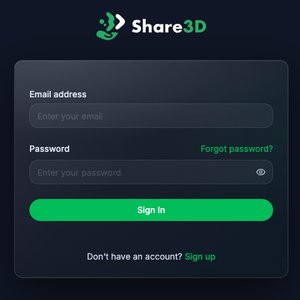
Log in or create your account here: https://dashboardv2.share3d.eu/auth/sign-in

Step-by-step user guidelines are available (version 0.9). Your comments are welcome: please add them in Google Docs' Suggesting mode. Version 1.0 will be published as a GitBook.

Share3D in 4 easy steps

  1. Create your account. Sign up on the Share3D Dashboard and sign the data agreement with CARARE once. It takes a few minutes.
  2. Bring in your models. Connect your Sketchfab account, paste a Zenodo link or add a link from any other platform, and import one model or a whole batch. Your models stay where they are hosted.
  3. Describe them. Fill in simple forms: what the object is, where and when it comes from, who made the model and how others may reuse it. Lists of terms and a map help you along, and a progress bar tells you when you are done.
  4. Publish. Click "Submit for Approval". CARARE checks your record and sends it to Europeana, where your model can be discovered by visitors from all over the world.

That's it.